
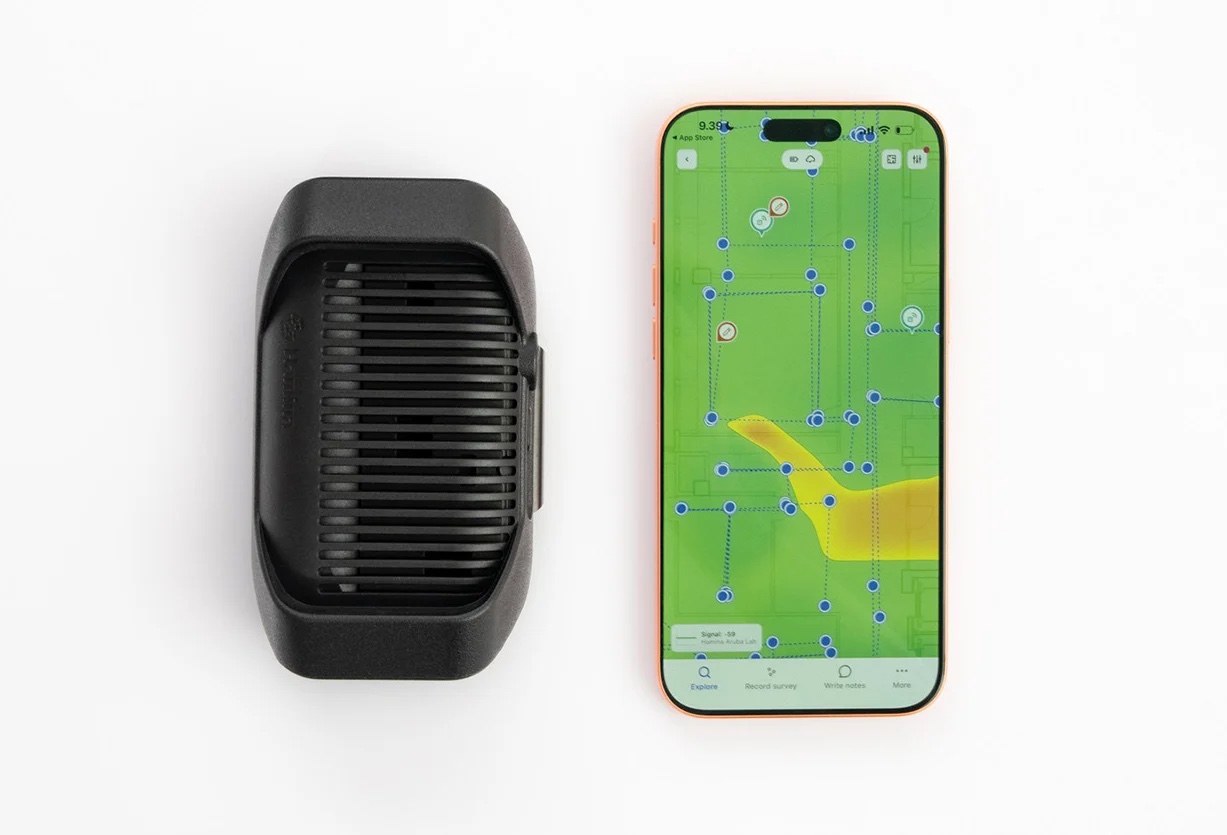
A Hamina Clip gives an iPhone or iPad Wi-Fi radios Apple keeps away from apps, and 4 apps from 2 vendors can use it today. On one job that means a passive survey, live scanning, a validation walk and a packet capture, all from gear you already carry. If you do Wi-Fi for a living and you work on Apple devices, the Clip goes in your backpack and stays there.
I’ve been lucky enough to have been given the opportunity to use a Clip since the first beta runs… and it has been lovely. I’ve had chances now to use it from when it was wired only, to wireless connectivity. From when it only ran on Hamina Onsite… to now when it also runs Adrian’s great tools, WiFi Explorer Pi and Airtool Pi.
We enjoyed it so much we purchased five more to add to our WLAN Pros Troubleshooting course instructor kit to help give our students hands on experience with the tool.
What the Clip Is
The Clip is a battery-powered sensor with 2 Wi-Fi 7 tri-band Wi-Fi radios. It weighs 282 grams and rides on a belt clip or a backpack strap. Hamina’s own description of the size is “think Nokia phone from 2005,” and anyone old enough to have carried one knows exactly what they mean. And it just FEELS GOOD. Like it was professionally designed and produced for real professionals to use.
It connects to the host over Bluetooth Low Energy (BLE) with no pairing in Settings, or over a USB-C cable. The host needs Bluetooth 5, so older iPads with Bluetooth 4.2 use the cable. If you have an old Lightning-only device… you might need to get yourself an upgrade! (Or you’ll need Apple’s USB Camera Adapter)
Hamina’s product page rates the battery at 6 hours. It charges over USB-C PD and keeps running while it charges, so a full day in the field comes down to the size of your power bank.
Wireless First: The Clip on Your Belt
Everything in this section runs over Bluetooth, with the phone in your hand and nothing plugged in. (Personally I have a MagSafe adapter on my personal Clip so it attaches under my iPhone – designed by Robert Boardman and printed on my own 3D printer with very strong MagSafe magnets) – but sometimes I prefer to use the standard belt clip to leave it on my belt or backpack strap.
Scan Where iOS Won’t Let You
Intuitibits sums up the problem in one line: “Apple does not provide apps on iOS with access to Wi-Fi information.” The Clip gets around it.
Adrian Granados added Clip support over BLE to WiFi Explorer Pi in version 1.2, on July 31, 2026. The cable path has been there since February. With the Clip on your belt you get live scanning and beacon analysis anywhere in the building. That covers the daily troubleshooting questions:
- Who else is on my channel?
- Which DFS channels are in use?
- What is the SNR where the complaint came from?
- Which AP is loudest in this room?
All of which used to mean opening a laptop.
One tip before your first walk: if WiFi Explorer Pi tells you the Clip’s firmware needs an update before it will scan over Bluetooth, do the update first, and you’ll need a USB-C cable for the firmware update.
Passive Surveys and AP-on-a-Stick
Hamina Onsite is the Clip’s home app. Over BLE you run passive surveys (point, line or continuous), watch the realtime view, and build heatmaps on a floor plan, or on a LiDAR scan from a Pro iPhone or iPad. The same kit handles AP-on-a-stick: an AP on a stand, the Clip on your belt, and Onsite recording what that AP covers before anybody pulls cable.
Know which radio is doing which job. An active survey (throughput, ping) runs on the phone’s own Wi-Fi connection. Hamina’s docs say an active survey “connects a standard Wi-Fi adapter to the network.” The Clip handles the passive side, and the phone’s radio handles anything that requires an association.
A Validation Walk With Checklists
WiFi Explorer Pi added Checklists in version 1.1. You define what the network has to meet, walk the floor with the Clip on your belt, and export a PDF report. Checklists travel as .checklist files, so a team can share one standard across every site. Intuitibits credits the idea to “the community-driven Wi-Fi validation framework developed by WLAN Professionals and its contributors.” (Thanks for the shout out Adrian!)
Why does that matter on a job? You leave the building with a PDF measured against a standard the customer agreed to.
Roaming
The Clip hears every BSSID around you. A roam, though, is something a client does, so the roam events come from the phone. Onsite detects roaming on the phone’s own connection, and the Clip shows you the BSSIDs the phone could have roamed to.
When You Plug In
Packet capture is a wired job. The Airtool Pi app requires a wired connection, so use your USB-C cable:
- Airtool Pi on an iPhone or iPad captures frames through the Clip over USB-C and saves them on the device as pcapng. Share the file to your laptop and open it in Wireshark.
- Airtool 2 on a Mac captures on up to 2 channels at once through the Clip, with frame slicing, file rotation and live captures straight into Wireshark.
Both come from Intuitibits.
The cable also wins in a busy RF environment. Hamina’s docs say: “In very busy or noisy RF environments, you can use a cable to connect the Hamina Clip to your iPhone, iPad, or Apple Silicon MacBook.”
What It Won’t Do
Plan around these limits before you get to the site:
- No spectrum analysis.
- Apple hosts only. No Android or Windows apps, which suits this Apple fan boy fine.
- Hamina doesn’t publish a BLE range. Keep the Clip on you, close to the phone.
- Whether 2 apps can share one Clip at the same time isn’t documented. Quit one app before you open the other.
- The battery won’t cover a full day on its own. (But it does work longer than I do… it’s not like anyone works straight for 6 hours without a break) Carry a USB-C PD power bank, or charging setup.
Who Supports It Today
These 4 apps name the Clip in their own vendor’s release notes or docs:
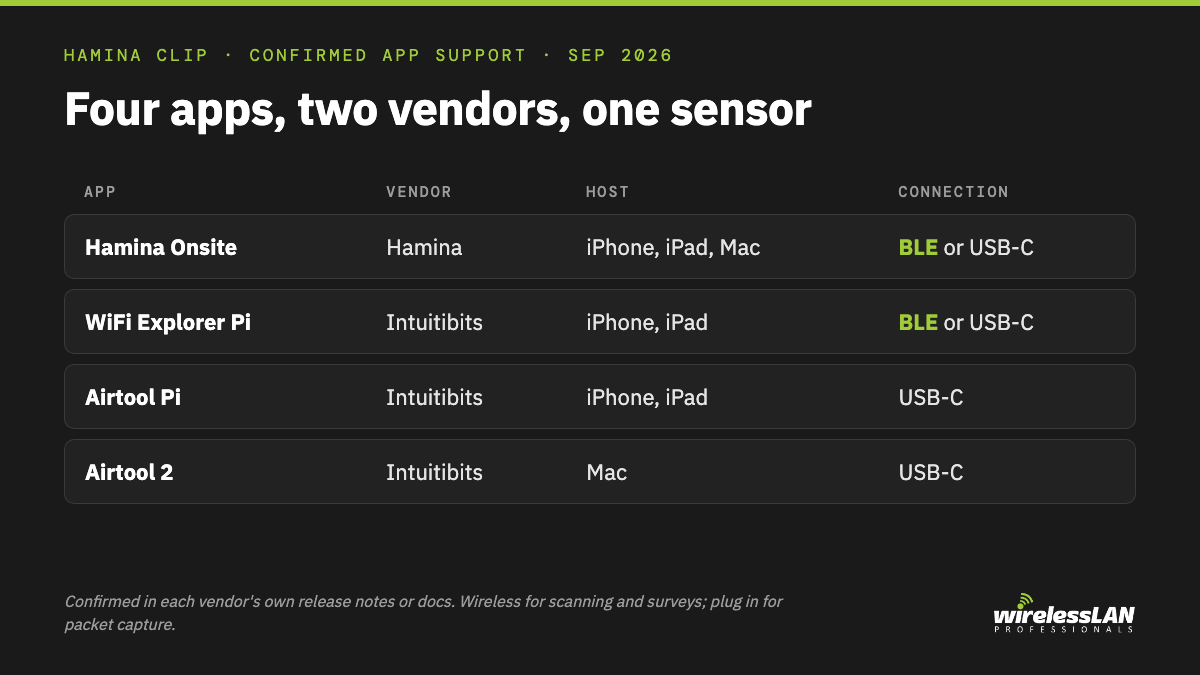
| App | Host | Connection | What you do with it |
|---|---|---|---|
| Hamina Onsite | iPhone, iPad, Apple Silicon Mac | BLE or USB-C | Passive surveys, heatmaps, AP-on-a-stick |
| WiFi Explorer Pi | iPhone, iPad | BLE or USB-C | Live scanning, beacon analysis, Checklists |
| Airtool Pi | iPhone, iPad | USB-C | Frame capture to pcapng |
| Airtool 2 | Mac | USB-C | Capture on 2 channels, live into Wireshark |
Hamina’s product page also lists WiFi Explorer Pro on the Mac and the MetaGeek app. As of this writing neither app’s own release notes or product page mentions the Clip, so check with those vendors before you plan a job around them.
3 of the 4 confirmed apps come from Adrian Granados at Intuitibits. I’ve personally been using Adrian’s tools since his very first iteration and think he makes some of the most valuable apps there are for Wireless LAN Professionals around the globe.
An Open Invitation to Jussi and the Hamina Team
Jussi Kiviniemi is Hamina’s founder and CEO, and this section is for him and his team.
The Clip listens to the air. The job it leaves to the phone is the phone’s own connection: the network it joined, and how that connection behaves as you walk. That is the half our WLAN Pros Toolbox works on. Put the two side by side and a Wi-Fi pro standing in a problem room sees both the air around them and the connection in their hand, on one device.
Adrian’s apps show what a partner can build on the Clip. If there’s room on that list for one more app, we would love to be on it.
Why It Stays in the Backpack
In one day the Clip can run a passive survey in Onsite, a Checklists walk in WiFi Explorer Pi, and, once the cable goes in, a frame capture in Airtool Pi or Airtool 2, all on Apple gear you were already carrying. Keep the Clip in the backpack with a USB-C cable and a power bank beside it.