
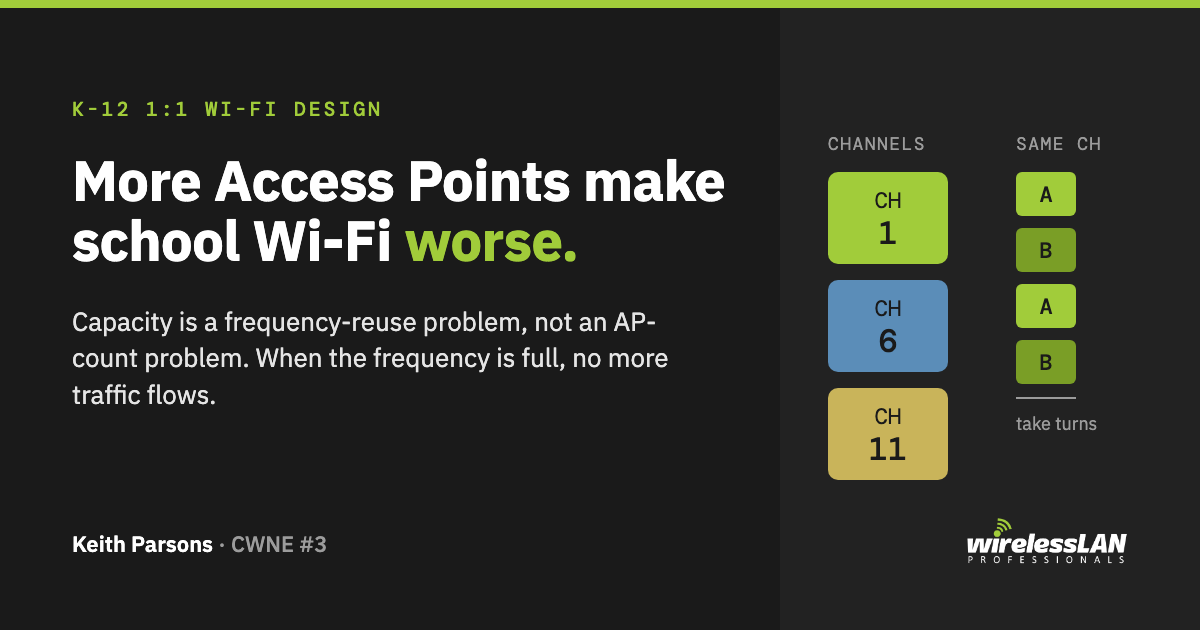
Putting one Access Point in every classroom does not make a school’s Wi-Fi better. It makes it worse. More APs packed close together is not more capacity, it is more co-channel contention, and contention is the thing that slows a network to a crawl the day the students actually show up with their devices. I wrote that in 2014. After running the full design process through more than 4,000 classrooms since, I have not found a single reason to change the verdict.
Capacity is a frequency-reuse problem. It has never been an AP-count problem. When the frequency is full, no more traffic flows, no matter how many Access Points you bolt to the ceiling.
The “1:1” confusion that started it
K-12 schools moved to 1:1 initiatives: at least one device per pupil. Then Bring Your Own Device piled on top, so even young children show up with a phone or tablet in the backpack. The demand is real. A district has to plan for a lot of clients.
Somewhere in the rush, “one device per pupil” got quietly swapped for “one Access Point per classroom.” Those are not the same statement. One is a demand estimate. The other is a Bill of Materials dressed up as a design.
I have seen RFPs written by people who do not work in RF or 802.11 drop “one AP per classroom” straight into the requirements, because another district did it and the phrase was easy to copy. It is our job as Wireless LAN Professionals to design correctly, even when that means educating the customer before we quote the work.
Let me be clear about what I am not saying. If you run a proper design process and the answer genuinely comes out to one AP per room, fine. That is a design conclusion. What I am against is starting with the formula and skipping the design.
Design is a process, not a formula
In any real WLAN project we follow five steps:
- Define. Collect the requirements: device counts, area, growth over time, density, the applications actually in use. Andrew Von Nagy has a great process for the definition stage, presented at #WLPC, the Wireless LAN Professionals Conference.
- Design. Use RF fundamentals, antenna principles, and how 802.11 actually behaves. Pick AP count, power settings, antenna types, and placement so they work together to meet every requirement from the Define stage.
- Install. Usually the easiest step. Pull Category 6 or better cable to each location, certify the runs, confirm switch-port config, mount the APs, test the wired side.
- Validate. Prove the design met the requirements with a site survey, then watch performance during school hours. This is the step most people skip, which is exactly why they never know how their APs behave with each other.
- Remediate. Fix what is wrong. Move APs, change channels or power, and yes, sometimes remove APs or turn off radios.
“One AP per classroom” does none of that. It is a shortcut people use to charge full-scope prices for partial-quality work. It is easy to understand, easy to build a Bill of Materials from, easy to install, and easy to sell, precisely because it requires no knowledge of how 802.11 works or how RF propagates. That is its appeal, and that is its defect.
Promoting “one AP per classroom” as a design is lazy, ignorant, and greedy. The “1 for 1” is a marketing campaign meant to sell Access Points. It is not a Wireless LAN design methodology.
Why capacity is about frequency, not Access Points
Every Wi-Fi device follows the same rule. It listens on its channel, waits a defined slice of time to confirm the channel is clear, then transmits. All devices on the same frequency, APs and laptops and tablets and phones alike, share that one frequency and take turns.
Coverage is the easy requirement. Want more coverage? Turn up the power or add an AP. Done. But coverage is rarely the problem in an otherwise well-designed network.
The hard requirement is the opposite: controlling coverage so you can reuse the scarce frequencies you have. Andrew Von Nagy reframes this nicely as “co-channel contention” rather than the older “co-channel interference,” and he is right, because contention is what is actually happening. Call it CCI or CCC, it is the same enemy. Marcus Burton wrote a great white paper on the 802.11 contention process if you want the protocol detail.
Here is the part people fight. When two APs are on the same channel and can hear each other above a threshold, they share that frequency. So do all their clients. This is not a guess. It is hard-coded in the 802.11 protocol, in the Access Points, and in every client radio.
In 2.4 GHz in North America we have three non-overlapping channels. Channels 1, 6, and 11. That is it. Pack one AP into every classroom and you have all but guaranteed that same-channel APs hear each other, defer to each other, and split the airtime down to a fraction. More devices plus more APs on the same channel equals lower throughput. When you run out of channels, stop.
Some people answer, “we will let the vendor’s automated radio management turn the 2.4 GHz power down.” In doing validation surveys in hundreds of schools, I have yet to personally see that fix an over-dense design on its own. Others just switch off two-thirds of the 2.4 GHz radios. Think about that. You paid the capital cost, the install cost, the cabling cost, and the switch-port cost for every one of those APs, then you turn off half of them.
What about 5 GHz? And now 6 GHz
In 2014 I told people 5 GHz looked roomy on paper, up to 22 channels, but many K-12 client devices could not use UNII-2 or UNII-2e, so you were realistically designing on the eight UNII-1 and UNII-3 channels. That constraint has eased a lot.
6 GHz changed the math. In the US, Wi-Fi 6E and Wi-Fi 7 add 59 more 20 MHz channels across the full 1200 MHz of new spectrum, with room for fourteen 80 MHz channels, seven 160 MHz channels, and three 320 MHz channels on Wi-Fi 7. The “we are starving for clean channels” premise is far less binding when your clients can reach 6 GHz.
One caveat before you celebrate. That channel bounty is a US figure. The EU allocates only 5925 to 6425 MHz of 6 GHz, far fewer channels. Design to the spectrum your region actually licenses, not the headline number from an American slide deck.
More spectrum changes the budget. It does not repeal the principle. Frequency reuse still wins or loses the design. Throw enough APs at any band and you will fill the frequency and stall, in 6 GHz the same way as in 2.4 GHz, just with more channels to burn through first.
The seductive part: it works at install
Here is the trap that keeps this bad approach alive. After you install one AP per classroom, the network actually works.
It works not because the design is good, but because of the resilience built into 802.11. A lightly loaded over-dense network looks fine on day one, before the 1:1 and BYOD clients arrive. Many early adopters bought into “one AP per classroom” before their campuses were full of devices, so of course it looked good. Right up until the load arrived and the CCI/CCC bit down.
When I go back to those same schools after the device counts climb toward 1:1 and beyond, the network has gotten slower. Much slower. The fix? Remove Access Points. Lower the co-channel contention and the throughput goes up. The same lesson hospitals learned the hard way after stuffing APs into hallways.
So ask the honest question. If a system you overspent on works in the short term, was it still a good financial decision?
The cost argument got stronger, not weaker
In 2014 the waste was straightforward: you bought, cabled, powered, and switched more Access Points than the design needed, and those costs dwarfed any design fee on all but the smallest schoolhouse.
In 2026 that waste is bigger. Every over-deployed AP today is a Wi-Fi 6E or Wi-Fi 7 AP with multiple radios, a 6 GHz radio, and a multi-gig uplink. Those APs commonly need 802.3bt power, Type 3 at roughly 51 W or Type 4 up to 90 W at the device, not the 25.5 W an older 802.3at port delivered. Underpower a modern AP and it sheds a radio or drops spatial streams.
Read that back. Each extra AP you did not need now also drags a heavier switch port and a multi-gig uplink behind it. Over-deployment costs more in 2026 than it did in 2014. The marketing pitch that you are “future-proofing” by buying double the APs is exactly backward. You are pre-paying for power and uplink capacity to run radios you will end up turning off.
Association is not the constraint. Airtime is
There are two numbers in AP client capacity, and people confuse them constantly.
The first is associations. A phone sitting in a pocket during class is associated, has an association ID, sits in the AP’s table, and does almost nothing. Modern enterprise APs handle hundreds of associations without breaking a sweat. That number is not your bottleneck.
The second is the devices actively transmitting and receiving. Those are the ones in the contention domain, taking turns, sharing the frequency. That is the number that matters for a 1:1 design.
People assume every student device in adjacent classrooms will hit the network in the same instant. They will not. Network timing runs in milliseconds and smaller, so “at the same time” almost never means what the worried administrator thinks it means. The telephone industry has predicted this kind of behavior for a century with the Erlang function. The phone company does not run a trunk line for every apartment on the assumption everyone calls at once. They design for a normal day. We design Wi-Fi the same way: for a realistic set of simultaneous transmitters, not for every device in the school keying up in the same millisecond.
I have personally run more than 180 phones streaming the same multicast video from a single radio with frequency utilization under 40% and retry rates under 2%. At another school, 150 Chromebooks ran a full day of teacher training on a single AP because the big array meant to load-balance them had quietly been switched off and nobody noticed. The critical factor is frequency utilization, also called airtime. Keep it under 50%.
How to prove it: the validation test
This is easy to measure, and someone qualified should do it at every install.
Run a passive survey of the school across all APs on all channels. Then plot everywhere you have more than two APs above the same-channel threshold. By definition, that area is co-channel contention. Every AP that hears another on its channel has to defer, which means they share the frequency, which cuts throughput.
Keith’s note on the number: I use stronger than -80 dBm on the same channel as the trigger in the field, and some use -85 dBm. The real value is the Clear Channel Assessment threshold in the device, which some vendors let integrators tune by lowering the AP’s receive sensitivity. The point holds regardless of the exact dBm. In a one-AP-per-classroom building, the co-channel contention region is large and obvious, and you can predict the throughput loss directly from it.
One related correction worth keeping straight: backup coverage is not “overlap” measured in percent. Your second-AP coverage target is a dBm figure, something like -70 dBm or better, not a percentage of floor area. You cannot measure overlap in percent. You can measure backup coverage in dBm. Design and validate to the number you can actually read off an instrument.
Design the network. Do not count the rooms
When you build Wi-Fi for a K-12 1:1 program, do the work. Define the requirements, design to meet them, install, validate that it met them, and remediate what did not. Do not reach for the easy way out. There is a right way and a wrong way to design a Wireless LAN, and one AP per classroom is the wrong way.
If your provider makes real design services sound too expensive to bother with, they are doing the district a disservice. Design is supposed to be the “value add” in Value Added Reseller. Plenty of skilled Wireless LAN Professionals are available. Resorting to a formula instead of hiring one is disingenuous to the customer who is paying for it.
More than 4,000 classrooms in, the verdict has not moved. Capacity comes from frequency reuse, not from the AP count. When the frequency is full, no more traffic flows, no matter how many Access Points you throw at it.
So the question for any district holding an RFP with “one AP per classroom” in it: what design requirement, written down and measurable, says you need that AP, and how will you validate it after install?