
Just last week at the Wi-Co DC meeting I was able to meet up in person with Bill Bushong to thank him personally for releasing his new tool to help WLAN Professionals using macOS to see and understand their network better.
He has been amazingly responsive to add new features, fix small issues, and continues to add more features to this tool. This inexpensive utility has already earned a spot in my macOS Dock! Replacing some other tools that have been there for years now.
You can find more about it at their website: https://pingstalker.com
This network utility Includes:
- LAN Scanning (you choose which interface)
- Live Ping Monitoring
- DHCP results, including Option details
- Speed Testing
- Network Interface Details
- Wireless Network Analysis
- Wired or Wireless Frame Capture
- MAC Address Lookup
- Subnet Calculator
- Network Logging Details
- Routing Table Details
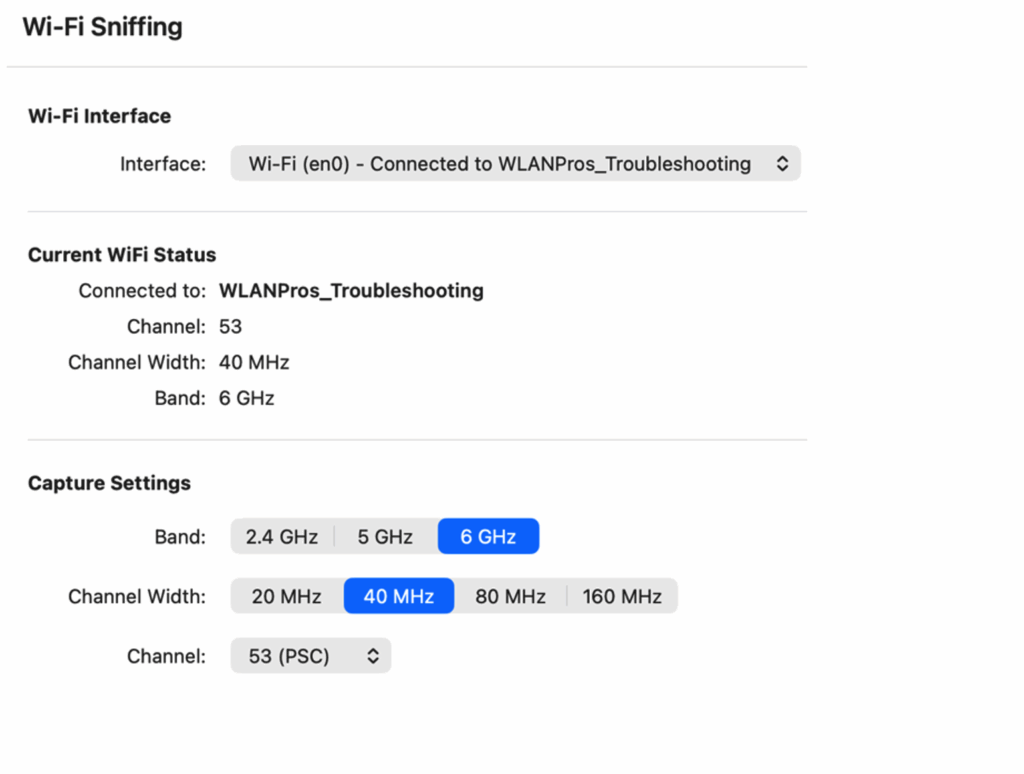
Doing Wireless Frame Captures is as easy as filling out these choices for band, channel width, and channel to capture on.
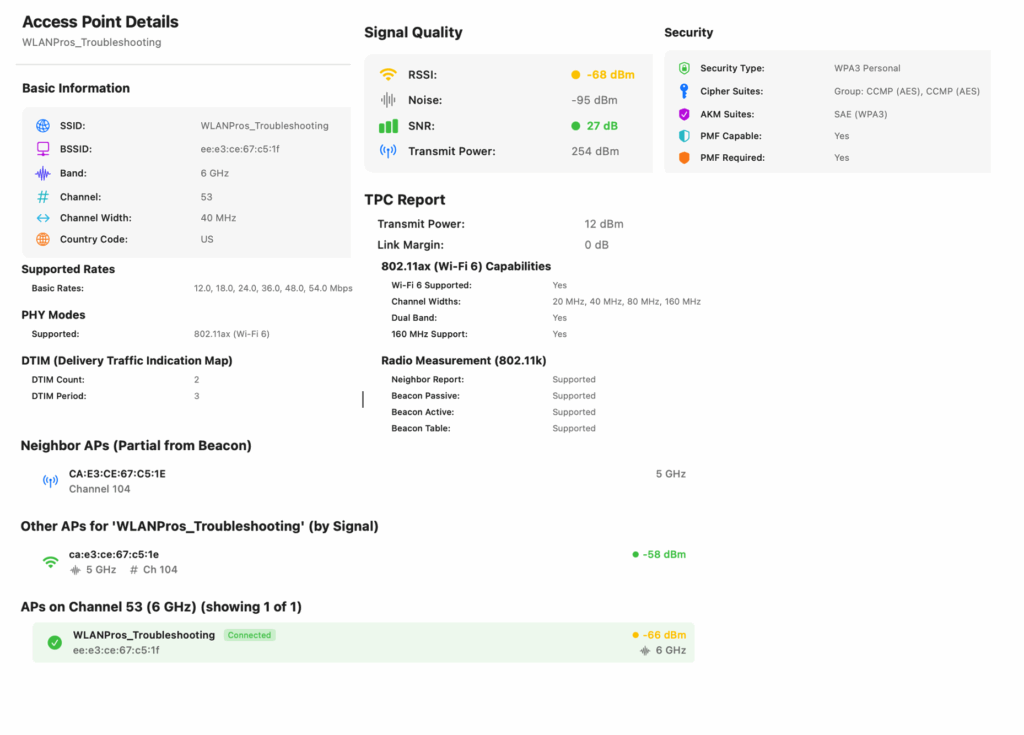
This software tool is valued for its comprehensive details on network interfaces and connected access points.
This new app is well worth your time to check out!