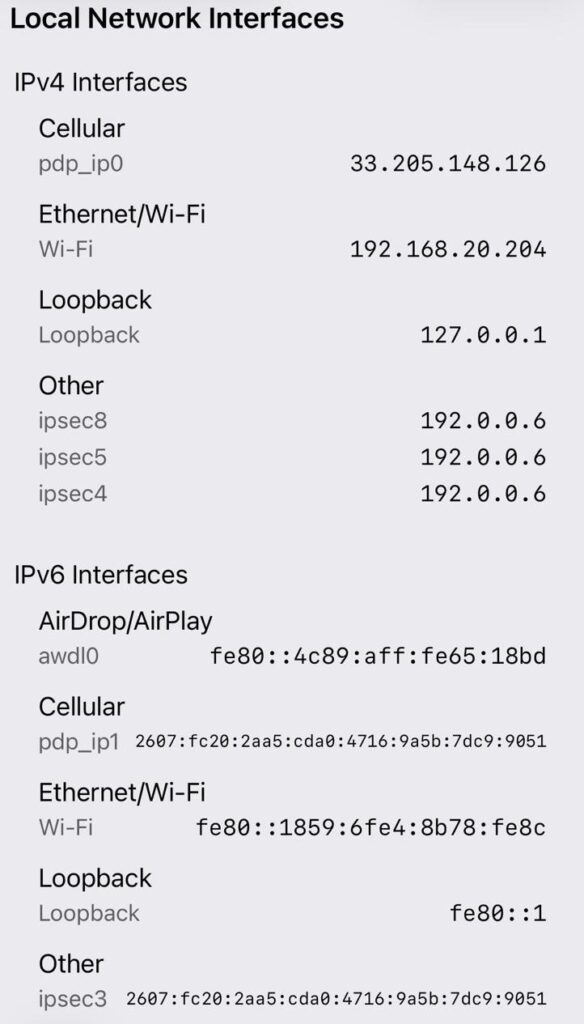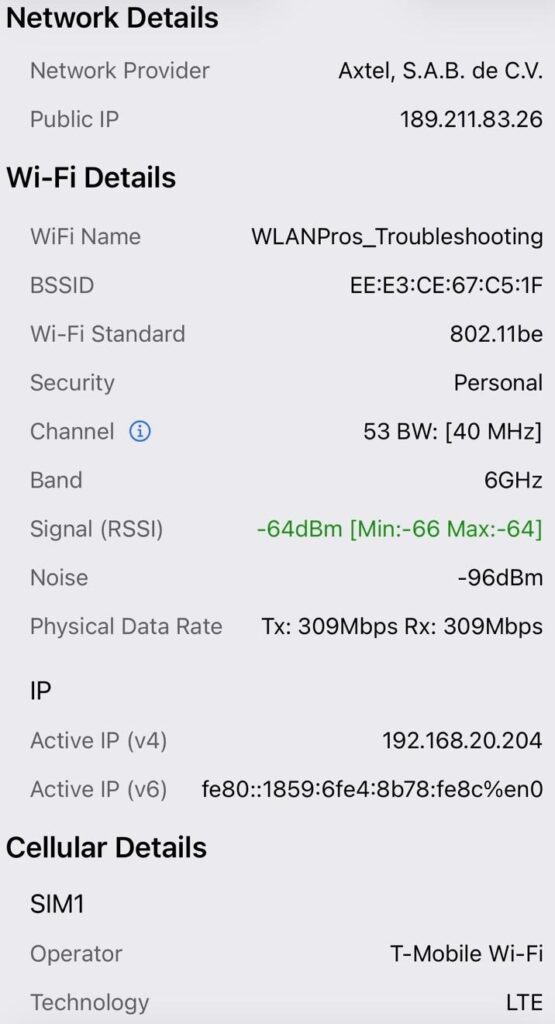
Due to legal restrictions from the Apple App Store, we’ve long lacked detailed insights into our network connections, especially Wi-Fi on iOS devices. However, by using a shortcut that accesses Wi-Fi logs and other data sources on the device, Ben Toner’s nOversight for iOS app now provides remarkably detailed information about Wi-Fi client devices.
Ben began using nOversight on macOS laptops—a method that remains excellent for viewing iOS logs and gaining valuable insight into your wireless infrastructure.
This app works directly on your iOS device.
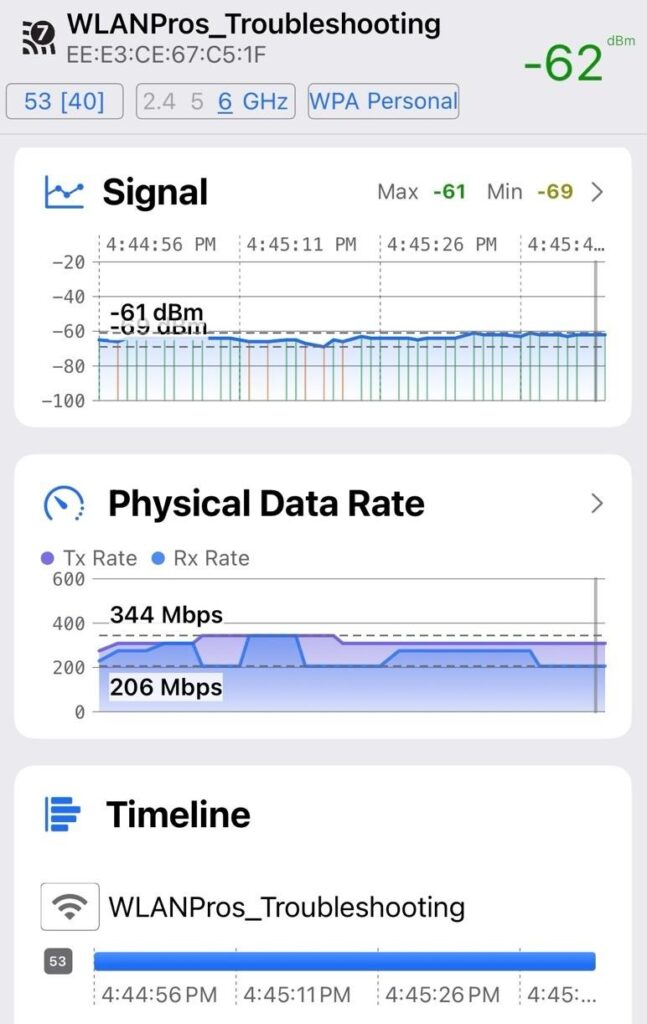
You can monitor this data over time and observe changes as you move through your environment.
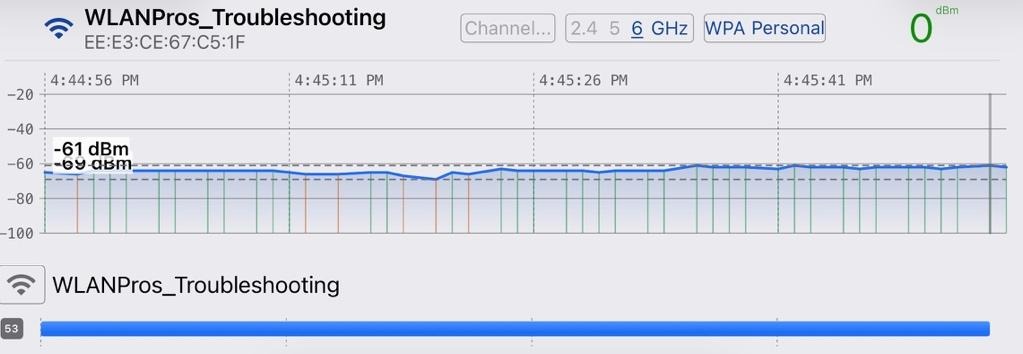
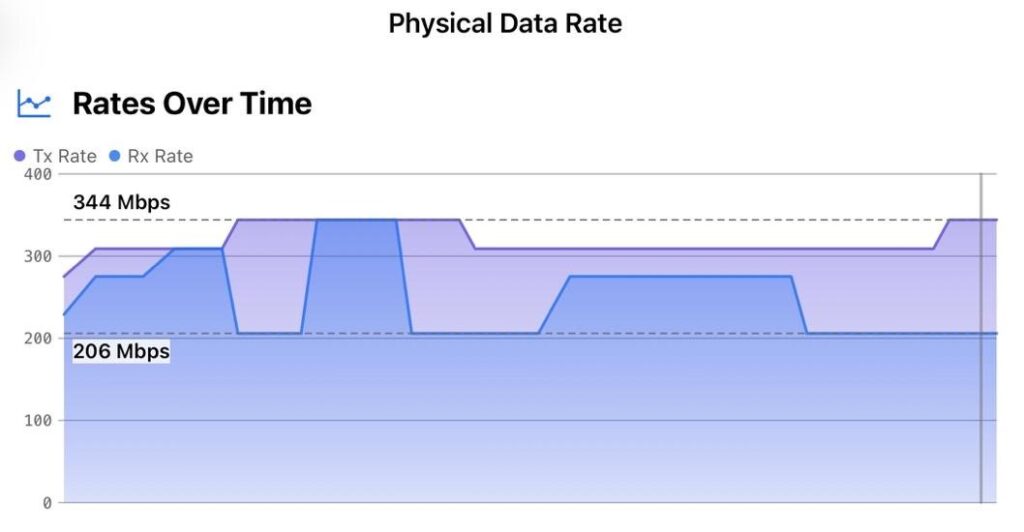
You can see data exactly as your iOS device detects the surrounding radio frequencies, almost instantly. This information is presented in multiple formats, but it all originates from your device’s Wi-Fi network interface card.
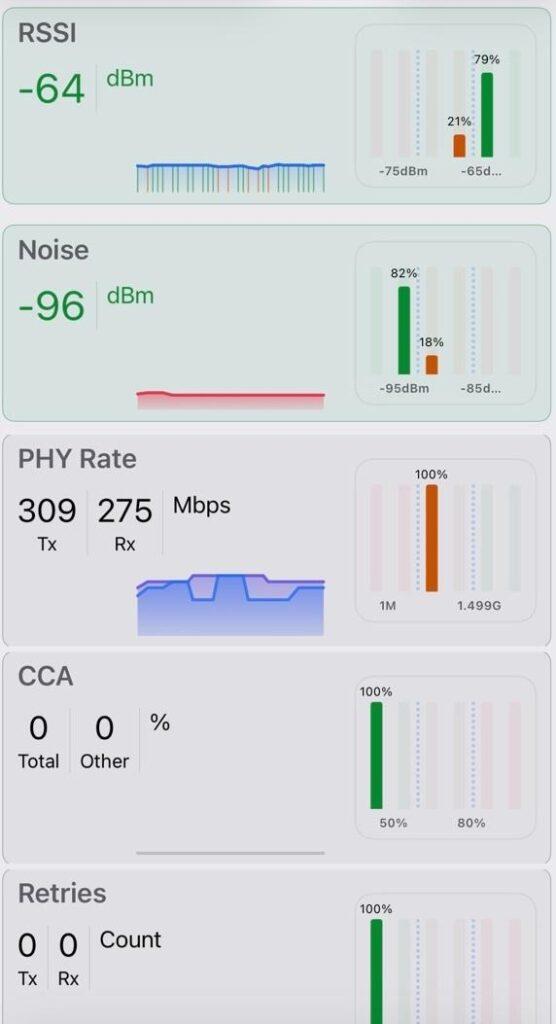
There is, of course other network details that come from iOS directly.
If you’d like to see this information on your own device, check out Ben’s website at: https://www.numerousnetworks.co.uk/noversight
The iOS device app store is: https://apps.apple.com/us/app/noversight/id1607838438
The macOS version is here: https://www.numerousnetworks.co.uk/s/nOversight.pkg
Ben has given us some very educational information at their help files here: https://numerous-networks.gitbook.io/noversight-docs