
BLE caberQU Digital USB-C Cable Tester
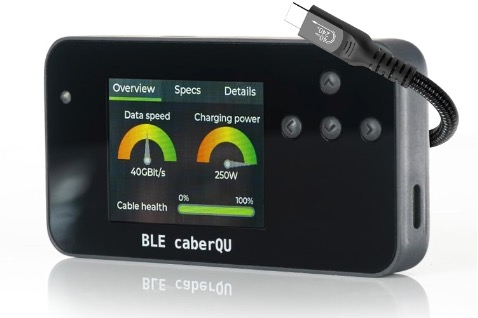
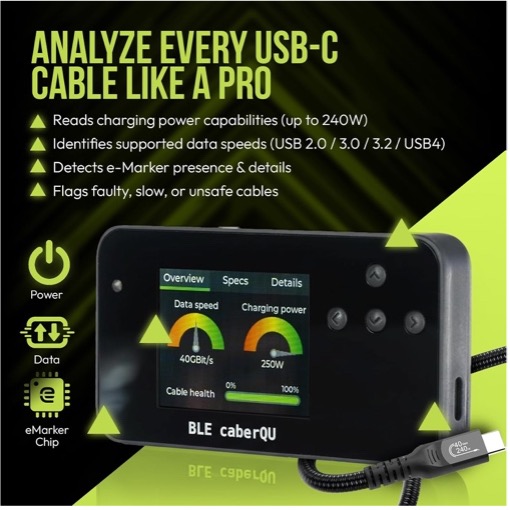
I saw someone post something about this cable tester, and since I had a couple of boxes of USB-C cables hanging around, OK, perhaps I have a problem throwing things out… I’m sure you also have a box or drawer of cables you keep ‘just because’ you might need them someday.
Well, this cable tester helped me pare that down to a much smaller subset of ones that I would really want to keep.
First the criteria, I wanted to keep cables that could do ‘fast charging’ – the majority of cables might do up to 15w… but you can get cables that can carry 100w or even up to 240w. That would make the bottleneck of recharging devices NOT be the cable. I wanted to only keep fast charge capable cables.
Second, USB-C cables are also used to transfer data. The majority are really quite slow indeed… but you can get 20GB, 40GB, and even 80GB capable cables. I wanted to keep only the fast transfer cables.
The BLE caberQU tester arrived, and I also downloaded the associated app from the Appstore. Using BLE it instantly found my tester, and had me download and install new firmware to the tester. (OK, I played with it before upgrading the firmware, and found it gave an error message of pin not connected on any cable I tested that had either an LED light to show charging, or my favorite Ubiquiti USB-C cables that have a two-sided screen that shows actual charging rates.) After the firmware update, those errors went away.
Out came the boxes of cables. I ended up testing over 100 cables… yeah, I have a problem. But ended up with a box of 80+ that will be going to the #WLPC Swap Table for others to use. They ALL tested fine, with good cable health scores. But they didn’t meet my two criteria.
Here’s what a ‘normal’ USB-C cable test results look like.
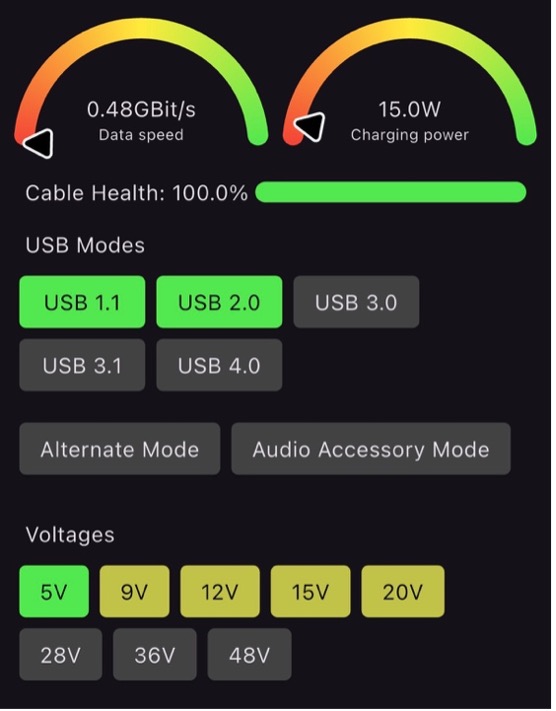
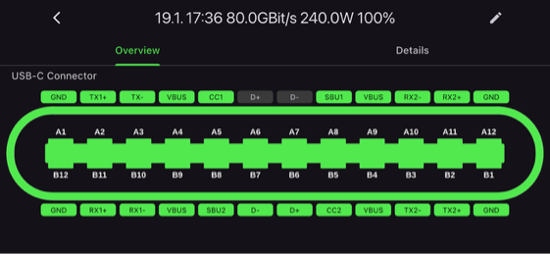
You can also see the pinouts. Note many of the pins are not connected.
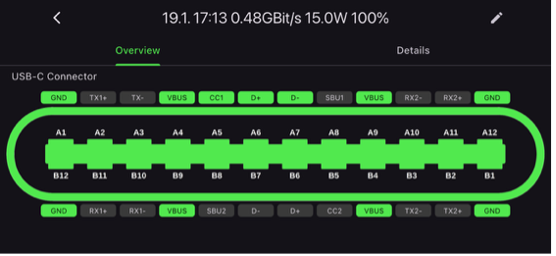
All of these type of 100% working cables, went into the donate box.
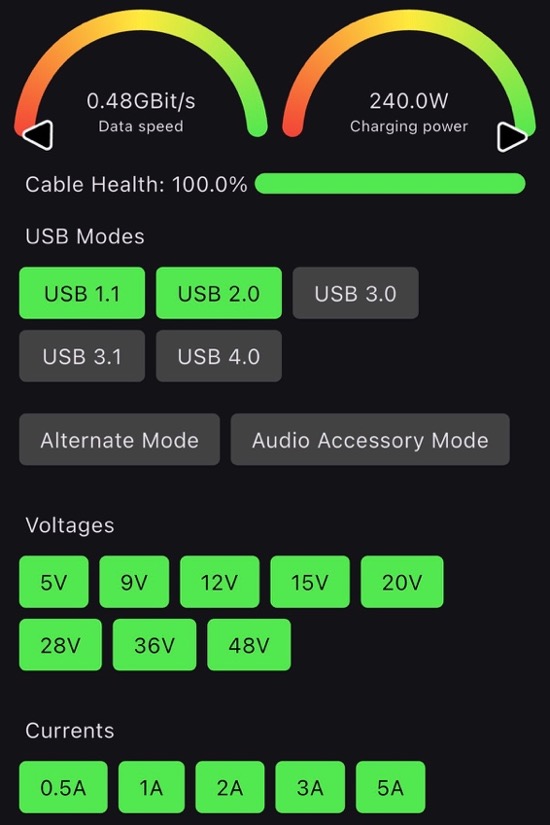
The next category was the cables that were designed specifically for high-power-transfer for recharging. These might not have higher throughput numbers, but I kept cables with 100w or more capabilities.
This is a sample of a charging specific cable:
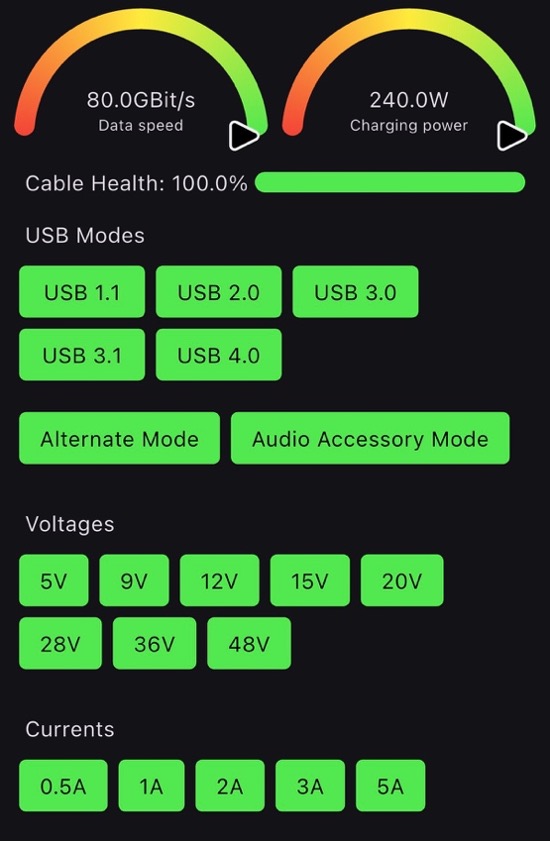
The final group of cables are those with BOTH the high transfer power, as well as high data throughput. You can see the results of these tests:
You might notice way more pins are being used in these cables.
After all this testing. I can inform you the LOOK and FEEL of cables is NOT at all consistent with their test results. Some of the best looking, or ‘fatter’ cables, or those with braiding on the exterior… those tested as ‘normal’ most of the time. Even FLAT cables were able to outperform better looking and better feeling cables. Choose your cable vendor wisely.
Or, you can just pick up your own cable tester and test your cables yourself.
Amazon for around $120 for the basic unit, or up to $190 for the expert kit.
https://www.amazon.com/dp/B0F8BV5RHB?ref=ppx_yo2ov_dt_b_fed_asin_title&th=1